Build a bbdbuy Room Makeover Archive
Build a bbdbuy Room Makeover Archive
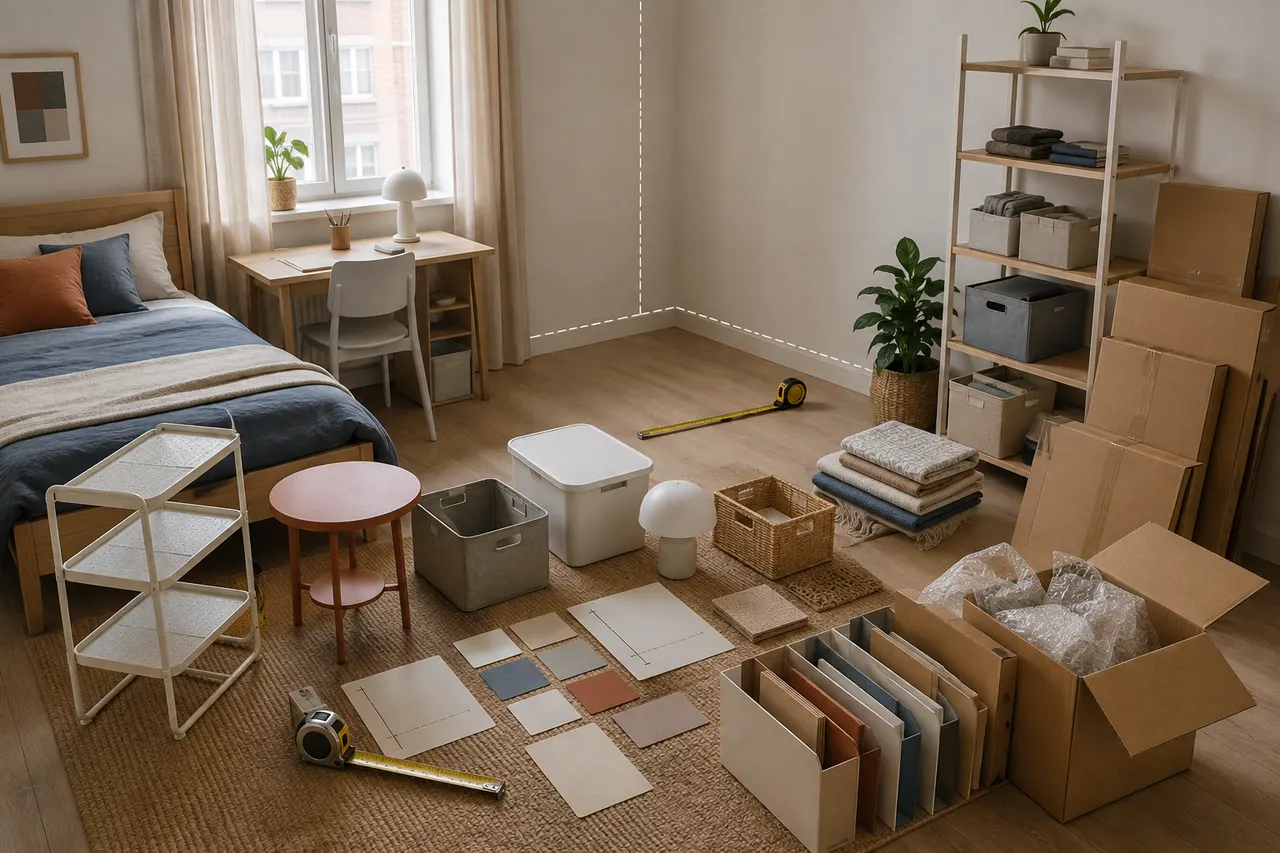
Figure: Room makeover checklist idea from room measurement, candidate archiving, and purchase prioritization.
The most common mistake in rental room makeovers is not failing to find good-looking products, but collecting first and measuring later: lamps block cabinet doors, storage racks don't fit in corners, rugs jam the door, and desk items crowd out the actual work area. A safer approach is to first create a room dimension archive, then put candidate products found on bbd-buy.net into a unified checklist.
The specific problem this article addresses: how to organize scattered candidate products into a rental makeover checklist that can rule out size conflicts, mark items needing verification, and arrange the purchase order. After reading, you can complete a pre-purchase screening, but it cannot prove that products are still in stock, that actual colors match exactly, that installation complies with your lease, or that a particular shipping route is currently available.
Specifications, prices, stock, shipping costs, taxes, return policies, and page status may change. This article does not present this information as fixed conclusions; when actually purchasing, verify each item on the current bbd-buy.net page and checkout interface, and record the verification date, currency, and applicable conditions. The checklist method in this article was verified on September 4, 2026.
First List the Room Areas to Renovate and Actual Dimensions
Don't start with product searches. First draw a room sketch that doesn't need to be pretty but must be clearly dimensioned, breaking the room into actual usage areas, such as sleeping area, desk area, clothing storage area, entry area, and empty wall space.
At minimum, measure and record:
Clear room length, width, and ceiling height
The range occupied by doors, windows, wardrobes, and drawers when fully opened
The outer dimensions of existing furniture like beds, desks, and chairs
The positions of outlets, switches, heaters, and air conditioner vents
Usable width loss due to corners, baseboards, and windowsills
The passage needed for sitting, standing, opening doors, and moving luggage
All dimensions should use millimeters or centimeters consistently; do not mix units in the same table. Measurements taken with a tape measure should ideally be rechecked; for wall corners and furniture gaps, record the narrowest and widest points separately, not just an average. 📏
Assign an area code to each location, e.g., D1 for left of desk, S2 for foot of bed, W1 for by the window. Every candidate product must correspond to a clear location. Products without a target location go into an "inspiration area" first, not directly into the purchase checklist.
Clarify What bbdbuy Candidate Archiving Can Solve and Cannot Prove
Candidate archiving converts product page information into comparable data, helping you spot missing dimensions, installation restrictions, and functional duplicates. It is especially suitable when there are many similar products, page units are inconsistent, or you need to wait for multiple candidates before deciding whether to buy.
However, bookmarking or archiving a bbd-buy.net candidate link only means that the page was once included for comparison; it does not prove:
The page is still accessible or the product is in stock
The title, specification options, and main image all refer to the same version
The image color matches the actual color under your room lighting
Material, load-bearing capacity, or safety performance has been independently verified
The product can be installed without damage, or the landlord permits drilling, adhesive, or rewiring
The estimated weight is the actual warehouse weighing result
A certain shipping method is suitable for items with batteries, magnets, liquids, extra length, or fragility
Therefore, the archive table should keep two separate fields: "page original text" and "your own judgment." Dimensions stated on the page can be recorded as specifications; dimensions estimated from images must be labeled as pending confirmation, not written as verified facts.
Build Categories for Lighting, Storage, Soft Furnishings, and Desk Supplies
The purpose of categories is not to make the list look tidy, but to prevent functional duplication and to identify different shipping and installation risks in advance.
Lighting can include desk lamps, floor lamps, light strips, and clip lights. Record power supply method, plug type, rated voltage, whether the bulb is replaceable, and installation method. Information related to electrical safety should be based on product labels, instructions, and destination requirements; appearance images alone cannot confirm compatibility.
Storage can include shelves, drawer boxes, under-bed storage, and hanging organizers. The key is not nominal capacity, but external dimensions, opening space, load-bearing basis, and center of gravity when full. Tall cabinets or wall-mounted items that require wall fixing should not be purchased directly without confirming lease and wall conditions.
Soft furnishings can include curtains, rugs, cushion covers, and bedding. Record finished dimensions, material labels, cleaning instructions, and color options. For curtains, distinguish whether sold as a single panel or pair, and measure the distance from the curtain rod to the floor; for rugs, check whether they interfere with door swings and chair casters. 🪴
Desk supplies can include monitor stands, cable management, desk mats, and small organizers. Besides length, width, and height, record the desk thickness required for clamps, obstacles under the desk, cable connector direction, and the actual movement range of keyboard and mouse.
The same product may span two categories, but only one primary category should be kept. For example, a desk storage rack with a light can be classified as desk supplies and given a secondary tag "lighting" to avoid double-counting in the budget.
Record Dimensions, Colors, and Installation Conditions for Each Candidate
Create a row for each candidate you find. Don't just save screenshots, because screenshots may lack specification options, product links, or verification dates. It is recommended to use the following fields:
Field | What to record | What to do if missing |
|---|---|---|
Candidate ID | Category abbreviation + sequential number, e.g., L-03 | Not allowed to be blank |
Target area | Area code from room sketch | Put into inspiration area |
Product page info | Page title, link, specification options, verification date | Do not enter purchase queue |
External dimensions | Length, width, height and consistent units | Mark as pending inquiry or need more images |
Color | Page color name and selected version | Do not name based on main image only |
Installation conditions | No-install, clamp, adhesive, drilling, or electrical | Pause purchase if unconfirmed |
Weight and packaging | Page stated value and whether it is an estimate | Wait for warehouse or packaging data |
Page fact status | Confirmed, conflict exists, or insufficient information | Conflicts reviewed separately |
It is best to record both "product dimensions" and "minimum installation space." For example, a drawer cabinet 40 cm wide may need over 70 cm depth when the drawer is open; recording only the cabinet width is insufficient to judge usability.
Do not just write "white" in the color field. Record the page option name, a visual judgment of warm or cool tone, and the room base colors it needs to match. Visual judgments must be clearly marked as image observations and cannot replace physical confirmation.
Use a Space Conflict Table to Exclude Products That Don't Fit or Obstruct Movement
Set allowances before comparing. For storage items that fit into gaps, reserve about 1-2 cm assembly allowance on measured width; this is only a starting point, and the final allowance should be adjusted based on wall verticality, baseboard protrusion, and product installation instructions.
Conflict type | Check method | Exclusion condition |
|---|---|---|
Static dimensions | Compare product external dimensions with clear dimensions of target area | Exceeds available space in any direction |
Dynamic opening | Simulate movement ranges of doors, drawers, chairs, and curtains | Collision occurs during normal use |
Passage occupancy | Mark remaining passage width after placement | Obstructs daily or emergency passage |
Outlet blockage | Compare product back panel with outlet position | Unsafe plugging/unplugging or cable compression |
Installation conflict | Check against wall, desk, and lease restrictions | Must use unpermitted installation method |
Functional duplication | Compare with existing furniture and other candidates | Added function not worth cost and space |
Use cardboard or tape to mark the product footprint on the floor, then actually perform one open-door, sit-down, and retrieve-item action. This low-cost simulation is often more valuable than browsing more products. 🚪
Any candidate that "barely fits" should enter a yellow review status, not pass directly. Measurement errors, packaging protrusions, plug bends, and baseboards can eat up the last bit of allowance.
Verify Product Page Specifications, Images, and Pending Confirmations
Before purchasing, reopen the candidate product's current page on bbd-buy.net; do not rely on old screenshots for price, stock, or specifications. Record the date of verification and ensure the currently selected color, size, and style match the archived row exactly.
Check item by item:
Is the page still accessible, and is the title and product body clear?
Do specification options change dimensions, quantity, color, or included accessories?
Does the dimension diagram match the text specifications, and could units be confused?
Do the main image, detail images, and specification images show the same version?
Could packaging contain glass, batteries, liquids, magnetic parts, or extra-long components?
Does the page clearly state installation accessories, power requirements, material, and cleaning restrictions?
Are price, currency, stock, and seller information visible on the verification date?
If the current purchase interface allows submitting a product link or selecting specifications, first verify the parsed title, options, and quantity before proceeding to payment; if the actual page flow differs, follow the interface and platform instructions shown at that time. After the product reaches the warehouse, only use inspection photos or supplementary verification channels if the current order actually provides them to recheck color version, quantity, obvious damage, and visible size reference. Ordinary photos cannot prove internal material, actual load capacity, or long-term durability.
For any information that cannot be confirmed on the page, write it as an answerable question, e.g., "What is the longest side after packaging?", not as a vague "look again." If key dimensions, power conditions, or installation methods remain unclear, move that candidate out of this round of purchases.
Prioritize Purchases by Necessity and Implementation Order
Priority should consider problem severity, installation dependencies, and failure cost, not be sorted by "most wanted."
Suggested four levels:
P0: Solve safety or basic usability issues, e.g., insufficient task lighting and existing storage obstructing passage
P1: Provide foundation for subsequent renovations, e.g., main storage rack with confirmed dimensions
P2: Improve comfort and visual unity, e.g., curtains, desk mat, cushion covers
P3: Purely decorative or functionally duplicate candidates, cancel immediately if budget is insufficient
Implementation order is usually first clean and measure, then handle lighting and main storage, then determine soft furnishing dimensions, and finally add desk and decorative items. Because large storage placement changes available wall space and movement lines, buying rugs or decorations too early often leads to replacement.
Whether to combine or split shipping cannot be decided by number of items alone. Combining may reduce repeated fixed fees, but may also increase volumetric weight, parcel value, and single loss risk; splitting may increase fixed fees but may be more suitable for items with route restrictions, fragility, or extra length. After items arrive at the warehouse and actual packaging data is obtained, calculate separately according to the billing rules of available routes; do not guess using fixed ratios. 📦
Generate an Executable Room Makeover Checklist
The final checklist should not just be a product list, but tell you what to do next. Each item should at least include candidate ID, target area, current status, next action, completion condition, and stop condition.
You can execute in this order:
Complete the room sketch and recheck key dimensions.
Delete candidates without target areas or with functional duplication.
Unify all product dimension units and add minimum installation space.
Run space conflict check, mark borderline dimensions as pending re-measurement.
On the day of purchase, re-verify page, options, price, stock, and policies.
Submit only candidates with clear specifications, confirmed installation permission, and manageable shipping restrictions.
If inspection information is available after the order reaches the warehouse, recheck the selected version and visible issues.
Compare shipping options based on actual packaging data, then decide on combining or splitting.
After receiving items, install by priority, and measure next area after each area is completed.
A candidate can move from archive to purchase only when it simultaneously meets "fits, usable, installable, shippable, and acceptable risk." If any key field is missing, keep it in pending confirmation status.
This method saves mainly avoidable expenses from wrong sizes, duplicate purchases, and secondary shipping rather than a fixed amount; the specific savings should be calculated item by item based on the excluded candidates' product price, service fees, shipping costs, and potential return costs. It adds upfront measurement and information verification time, and cannot eliminate risks such as page changes, shipping damage, color differences, and lease restrictions.
It is suitable for renters with limited room space, needing to compare across multiple product pages, or planning phased renovations. It is not recommended to buy immediately when accurate measurement is impossible, the landlord has not confirmed installation restrictions, key specifications are missing, or the budget cannot withstand shipping and after-sales uncertainty. In such cases, the safest action is to complete measurement and permission verification first, not to keep expanding the collection list.
Frequently Asked Questions about Shopping on Agent Platforms
1. What should first-time users of proxy shopping through bbd-buy.net pay attention to?
New users who first access the Taobao proxy bbd-buy.net via spreadsheet usually receive a shipping discount gift package for new members. Additionally, it is recommended to check the beginner step-by-step shopping tutorial provided by the platform.
2. What do QC photos mean on bbd-buy.net?
All proxy shopping platforms have a professional quality control team. When your items arrive at bbd-buy.net's warehouse, the platform conducts quality checks and takes QC photos. Generally, three photos are taken, and the team checks whether the item's color, size, specifications, and quantity match the order, and also looks for quality issues. However, electronic products are an exception, with only appearance checks. If quality issues or wrong size or color are found, the team will immediately request a return from the seller to ensure the quality of the products you receive.
3. Why do you need to use spreadsheets when shopping on bbd-buy.net?
Proxy platforms usually do not display products directly, so you need to use spreadsheets to search for desired products and get purchase links. You can also seek help on Reddit or Discord; products recommended there are often good, but the shopping process can be quite slow. These spreadsheets are generally compiled from long-term collection of information from these platforms.
4. Is the spreadsheet website on bbd-buy.net safe?
This website does not collect any personal information; it serves only as a product catalog for the proxy platform. All transactions are completed on the proxy platform bbd-buy.net.
Browse our latest products and find your next favorite item.